Skip to Content
bytetinker
  • Home
  • Shop
  • Services
  • About Us
  • Appointment
  • Contact us
  • Cyphercon
  • 0
  • Sign in
  • Contact Us
bytetinker
  • 0
    • Home
    • Shop
    • Services
    • About Us
    • Appointment
    • Contact us
    • Cyphercon
  • Sign in
  • Contact Us
Building a Fake ISPThe nine-year climbThe DOCSIS headendOne byteProvisioning is a chain of silent failuresThe three-headed modemTwenty channels of capability, one channel of realityGPON fiberPrivate cellular, seven months of hellVoice, and the one that still beats meThe NOC that ties it togetherThe part nobody photographsThe actual lesson

Building a Fake ISP

Nine years of the CypherCon ISP Hacking Ward


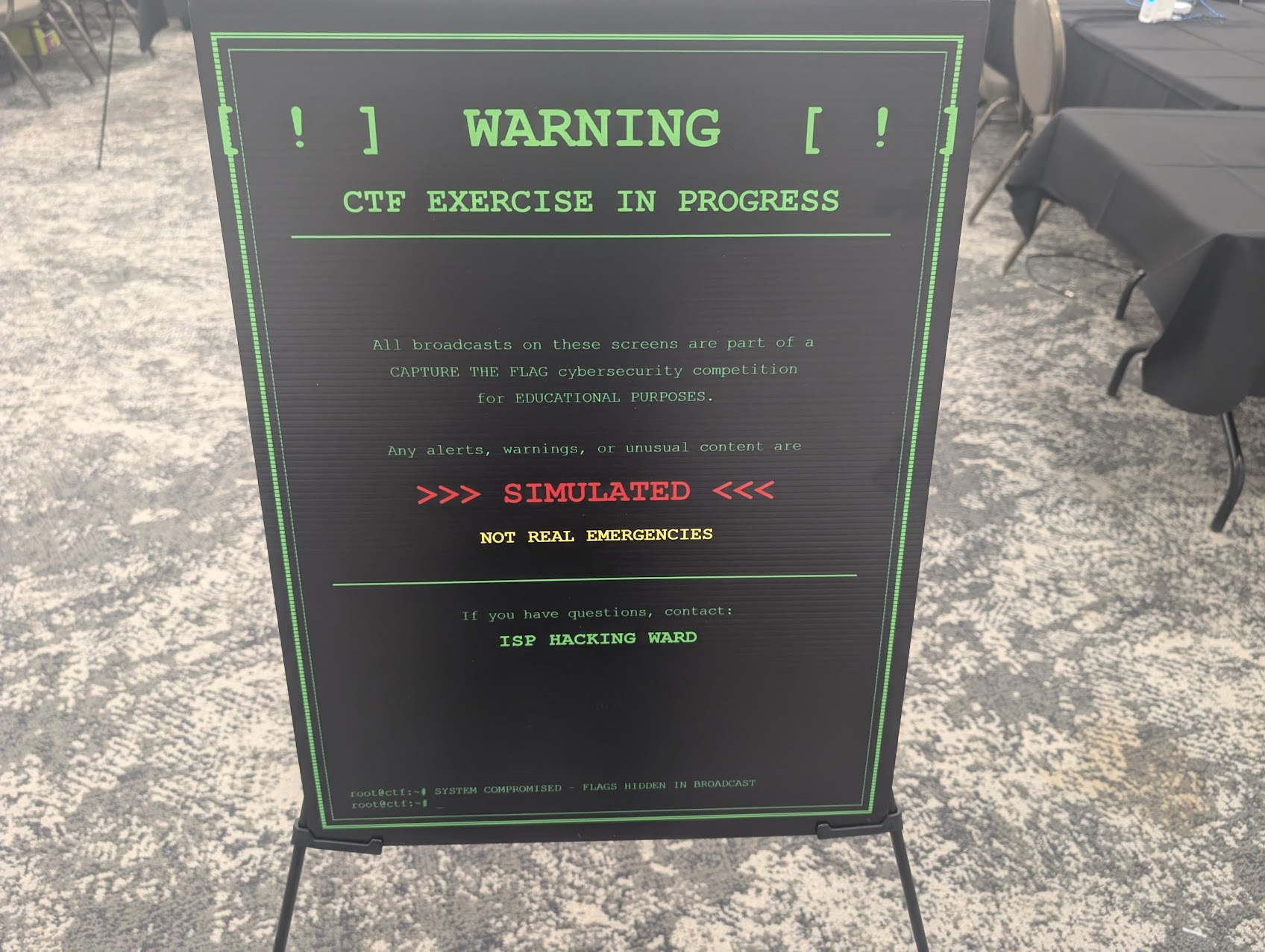
 There's a sign on the table that says everything here is a simulation. We didn't put it up because we wanted to. We were required to. And that's the most honest description of the ISP Hacking Ward I can give you. It's a working ISP, real enough that a convention center made us promise, in writing, on foamcore, that it wasn't.

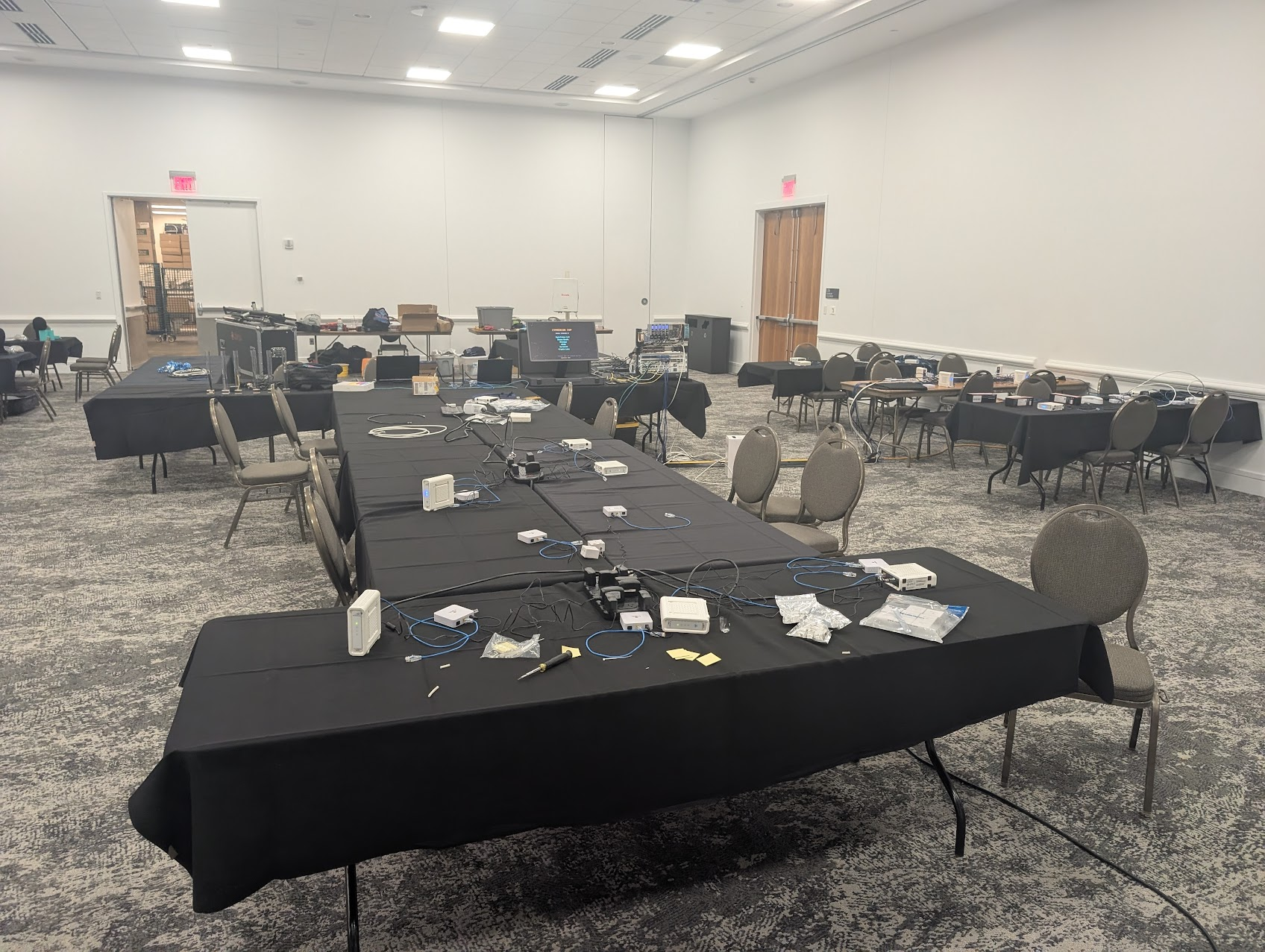
Every year at CypherCon, Wisconsin's largest hacker conference, around 3,000 people fill a hall in downtown Milwaukee, and a corner of the floor becomes a functioning internet service provider. Real cable headend. Real fiber. Real private cellular. Real dial tone. Nobody watches a demo. Attendees put their hands on the actual hardware, reflashing a cable modem or sniffing a fiber or attaching a phone to a network that didn't exist this morning, to earn a flag.

It's run for nine years. This is the story of how it actually gets built, including the stupid, undocumented, soul-grinding parts nobody writes down. The thesis underneath all of it has never moved. Every layer you trust was built by someone who was tired and improvising, and the wire was always a target. The ward is that lesson made out of coax and glass and 3.5 GHz so you can put your hands on it.
The nine-year climb


 The ward was never the same build twice. Each year was a deliberate swing at something it hadn't done before, so the history reads as a string of bets, some that connected and some that detonated.

Year 1 was a real ISP. Not a simulation, an actual working ISP with live upstream from a real provider. Year 2 added DOCSIS, and the cable plant that's still here. Year 3 added cable TV alongside the data. Year 4 was the overreach: a full redo aimed at live broadcast that failed, and the wireless distribution attempt ran straight into the venue's own RF. The conference center already used 2.4 GHz for its lighting control, and 5 GHz wouldn't carry the distances the floor needed. The room itself killed the concept. That was the year the ambition outran the physics of someone else's building.

Year 5 locked us out of our own gear. A failed SD card took the whole lab hostage, because the main router that hosted the CMTS data, routing, and config booted off that card, and when it died everything died with it. One dead card, total lockout. Years 6 and 7 were both swings at carrier-grade fiber gear, and both got aborted: the first wasn't ready in time, the second died on cost and on a locked vendor ecosystem that fought us the whole way. Year 8 was telephony, POTS lines and the arrival of Asterisk, which planted the voice plane. And year 9 was the synthesis. Everything at once: DOCSIS, GPON, private LTE, voice, quantum. More new additions than any prior year, and the first time the whole stack came up happy together.

There's a spine hiding in that list. The fiber gear in year 9 isn't carrier-grade, it's cheap, open, white-label hardware, and that was on purpose. It wasn't an aesthetic choice. It was the lesson of years 6 and 7. Two years of locked, expensive, uncooperative carrier equipment taught us that a hack lab wants open and breakable, not sealed and certified. We never decided "cheap and open beats real and locked" as a slogan. We got there by losing two years to the alternative. The failures aren't footnotes to the build. They're the reason it looks the way it does.


The DOCSIS headend


Walk up and it's a cable ISP. There's a CMTS, there are cable modems, you plug into coax, and either you range and get online or you don't, because your modem needs new firmware first and that's the game. The familiarity is the trap. The point is to drop a seasoned network person below the layer they live at, into the RF and boot plane they've never had to think about.

One byte


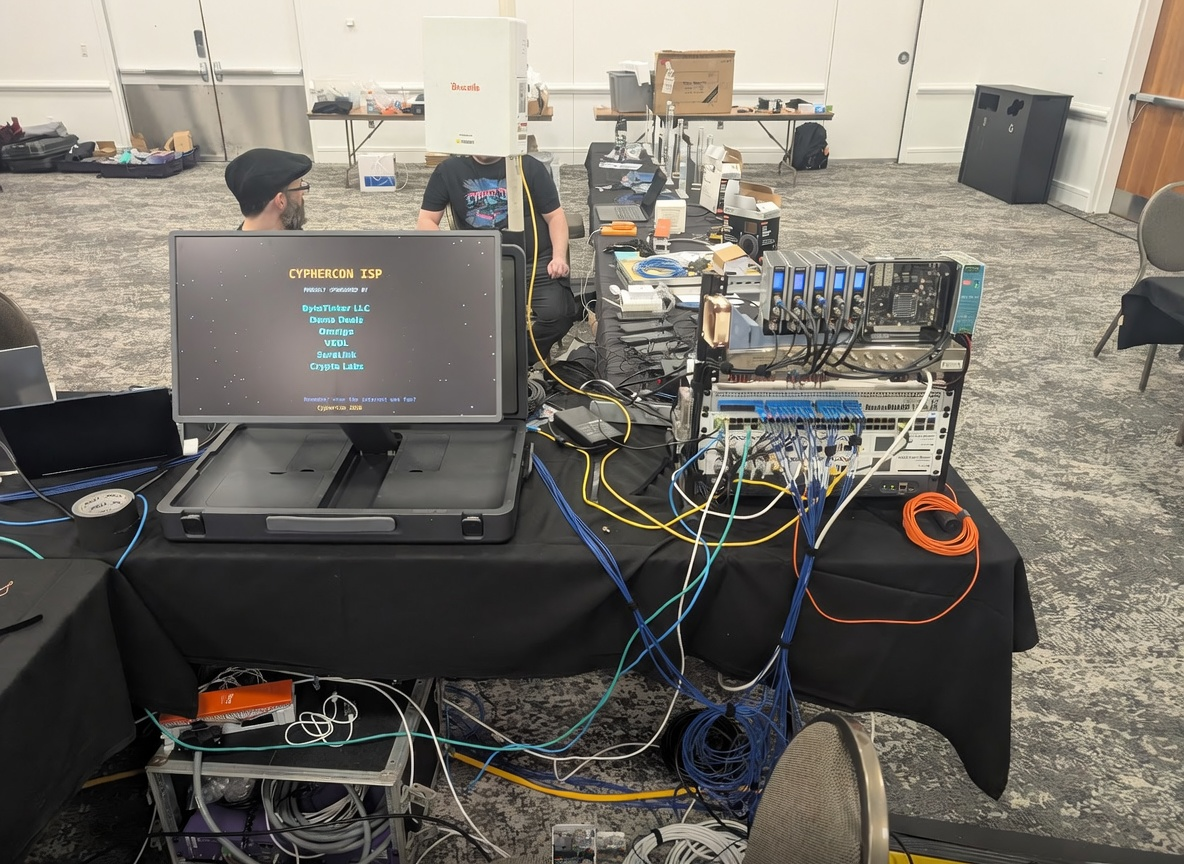
 The headend runs an ancient VxWorks-on-MIPS CMTS. It boots, pulls its config over TFTP from the MikroTik backbone, and brings up sixteen downstream QAM channels and four upstream. But you don't get the operator CLI. Enable mode is locked out of the box.

Unlocking it was a twelve-hour reverse-engineering descent through ELF RE, VxWorks binary patching, squashfs extraction, MIPS assembly, and serial hex dumps, with a startup script that cheerfully undid the patch on every reboot until I caught it. After patching the wrong byte more than once, the whole thing came down to a single flip, 0x40 to 0x00, and suddenly the full CLI and web interface were mine. One byte, half a day, total ownership. I cut a short on that particular suffering: [One Wrong Byte = Pure Chaos](https://youtube.com/shorts/09A16OT24XE).


Provisioning is a chain of silent failures


The MikroTik does double duty as DHCP and TFTP server. A modem ranges on the RF, gets addressing over DHCP, then pulls a DOCSIS config file over TFTP, built with an open-source utility because there's no vendor tooling in a homelab. The catch is that provisioning is a chain, range to DHCP to TFTP to hash check to register, and every stage fails identically from the outside. The modem just won't come online, and you debug by watching which stage the logs die at. The hash check is its own private hell, because the config carries a provisioning hash and any mismatch fails the modem silently with nothing but a busted-hash complaint. Before any of that even worked, the MikroTik was mangling a DHCP sub-option and had to be hand-fixed byte by byte.


The three-headed modem


The attendee hardware is the ARRIS SB6190, the infamous Puma 6 platform. People remember Puma 6 for its latency scandal. What they don't remember is that internally it's three processors sharing one flash chip carved into thirteen partitions, so custom firmware means feeding all three. There were three walls, in order of how much each one hurt.

The firmware didn't fit the stock partitions. You repartition and expand, except two of those partitions hold per-device identity: MAC, certificates, calibration. Blow them away and you don't have a reflashed modem, you have a brick with no idea who it is. Every flash had to back up identity, repartition around it, and restore it after, per device, across a bench of twenty, without cross-contaminating.

The images wouldn't boot, with no error. Not corruption, not a size error, just black. The cause is the kind of thing you'd never guess: the modem's old ARM kernel ships an xz decoder that can't handle BCJ filters, and the standard, correct way to compress firmware uses a BCJ filter because it shrinks the image. Do the right thing and the decoder silently chokes. Everything had to be recompressed as plain xz with no filter.

Even connecting was a fight. The flashed modem runs a dropbear so old that modern SSH won't negotiate with it, so it took a pile of legacy crypto overrides just to handshake, and even then the connection was flaky enough that the reliable door became the firmware's own web shell.

The human cost was countless hours and at least ten bricked modems along the way, every one of which I got back, because I took the identity backups first. That's the whole moral of the partition section. The discipline that felt paranoid is the only reason a bench of bricks became a bench of working modems instead of a pile of e-waste.


Twenty channels of capability, one channel of reality


 The RF side is five quad-QAM modulators, twenty channels, fed by an FFmpeg transport-stream pipeline, with the same modulators also pushing clear-QAM cable TV. Tuning it was miserable. The RF channel plan didn't line up with the TV channel map, so the entire allocation had to be remapped, and thanks to the digital-TV transition the channel assignments are scattered all over the place. Getting twenty carriers combined onto one plant without the modems panicking, while also landing the TV channels where a television would actually find them, was a grind of remapping and retrying.

And what actually played at the con? One channel. A single working feed piping random Apple content was the lone TV win on the floor. Someone else's content project was supposed to fill the lineup and blew up mid-show. Next year the hardware's ready and it'll carry something useful. But there's something perfect about twenty channels of capability and one channel of reality, so it stays in the story.


GPON fiber


 A passive optical network on a table: one OLT, a splitter, a handful of ONTs, glass. The lesson it teaches, without giving away the puzzle, is simple and uncomfortable. GPON broadcasts all downstream traffic to every ONT on the tree. Each ONT is supposed to filter out everyone else's data, but that filtering happens in the ONT's own firmware. If the operator leaves encryption off, and plenty do, your data is physically sitting at your neighbor's ONT, and always was.

This is where the scar tissue from years 6 and 7 pays off. The OLT is a cheap, open, white-label unit precisely because the carrier-grade alternative is locked to its own ecosystem and useless for teaching. We learned that the hard way. A stack of real carrier ONTs in the lab flatly refused to register on a generic OLT, because their handshake dies the moment it isn't talking to its matching carrier headend. So they became a prop. A real, locked carrier ONT sitting next to an open white-label one, with a card explaining why the cheap stuff is the more interesting security problem. The exhibit argues itself.

The hardest engineering on this side wasn't the hacking, it was the physics. Getting the optical power budget right took inline attenuation, because the ONTs came in too hot to land in spec, and there was a VLAN-transparency fight that only resolved after a full factory reset and rebuild. Fiber doesn't care about your config until the light levels are right.


Private cellular, seven months of hell


For years, cellular was a hard no. It got floated around year 5 and I killed it on the spot for one rational reason: FCC fines. Lighting up unlicensed RF in a hall full of people is a great way to earn a visit you don't want.

What changed in year 9 wasn't nerve, it was CBRS, and I found the door sideways. Poking at crypto, I fell into Helium and its short-lived cellular experiment, and I noticed the timing, because the network was winding down. So I did the obvious thing and bought two of their decommissioned radios off eBay for a hundred bucks each. The part that was secretly the whole answer: Helium's network ran on CBRS, shared 3.5 GHz spectrum coordinated by a central authority, legal by rule. The exact thing that scared me off in year 5 had a legal path the whole time, and I'd just bought the hardware built to run on it. Pair the radios with a spectrum grant and a certified installer and you're transmitting legally. The fear didn't get braved, it got engineered around.

The radios didn't arrive ready, of course. They shipped running a locked vendor OS with no usable way in, so step one of "private LTE" was brute-forcing into my own towers. The password eventually fell, a community effort where somebody cracked it and I grabbed it and nobody wrote down exactly how, and from there I flashed them to stock firmware, because under the branding they're ordinary commercial radios.

Then the core swallowed me. To get voice and SMS and data I ended up hand-building the full open mobile stack on bare Linux, and I learned more of the LTE stack than any sane person should, and formed an opinion of its designers I won't print. The thing that breaks your brain about it is real. LTE takes the OSI model and builds an entire second network up at layer 7. Everything rides inside GTP tunnels, your traffic encapsulated and carried over IP between the radio and the gateway, so the network you think you're on is itself a tenant of another network, with its own addressing, routing, and failure modes. The data-plane hell that ate weeks happened because of exactly this. A phone would attach, get an IP, the session would establish, and then no traffic would flow and the connection would drop after thirty seconds. A whole network, perfect at every signaling layer, going nowhere because one firewall rule and one kernel setting were missing. Ten things perfect, one thing invisible, total silence.

For the record, the timeline was brutal. Roughly seven months of redoing things, on the order of 300 rebuilds as one piece after another refused to cooperate. Not 300 tweaks, 300 rebuilds where you tear the whole thing down and stand it back up, each one hoping this was the combination. It was hell.

And then voice. Native VoLTE on the free phones I'd accumulated was blocked deep in the modem firmware in a way no config could fix. So, same move as everywhere else in this ward, I stopped fighting the wall and climbed a layer. Android gates VoLTE behind its own trust model, and forcing it on for a private network the phone has never heard of means getting at privileged carrier components. The wall that defined the whole fix: the phone wouldn't honor the override unless it was signed. Android won't let a random app act as a privileged carrier component, it has to be properly signed to be trusted. So the answer became a private, signed app that forced VoLTE on for my network. Once it was signed, the phone trusted it, the voice bearer came up, and the thing finally rang. The radio wanted it signed. So I signed it.

Voice, and the one that still beats me


There are three voice stories here, and only two of them are wins.

The white whale is voice on the cable modems, PacketCable provisioning against the phone switch. It's a staircase of bugs, each step solved only to reveal the next, fought almost entirely alone. I posted detailed logs on forums for over a year and got near silence. DHCP that wouldn't fire, then a config that wouldn't validate, then a SIP registration that came up with an empty identity, then a dial-plan parser that rejected the dial plan. The villain underneath all of it is that this particular telephony stack is an IMS identity system wearing a cable-modem costume, smeared across three overlapping management trees, compiled with an unsupported tool, with essentially zero documentation for anyone doing it at home.

Where does it sit now? Registered, and completely useless. Somewhere along the way the registration wall fell, the line registers, you can even dial it, and that's exactly where the victory ends. The phone doesn't ring and you can't answer. It's provisioned, reachable, and stone dead. So I said enough, and put POTS lines in to carry the actual voice. That year-8 telephony lineage does real work now. It's the pragmatic survivor of a fight the cable modems refused to lose cleanly.

The win that everyone actually remembers, though, is the honeypot, a phone maze with two AI agents, Brenda and Dave, that players have to talk their way past. Where they came from: every time you've called into a real ISP, you've been the end user who supposedly knows nothing, talked down to and scripted at and processed. So I flipped it. Brenda and Dave are the answer to the question everyone's silently asked on hold. What would an ISP's support sound like if it dropped the act entirely and stopped pretending to care about keeping you, because it's a monopoly and you have no choice anyway? They're customer service with the mask off, weaponized into a puzzle. It lands because it's the true version of a thing everyone's felt.


The NOC that ties it together


All of this runs under a live network-operations dashboard on a big screen: modem health, fiber signal bars, cellular radio, the core, the phone switch, the whole fake ISP breathing in real time. The pain here was SNMP politics. The CMTS would fall over whenever the dashboard tried to walk its vendor management tree in parallel, so the fix was to stop asking the CMTS and poll each modem directly, one careful serialized query at a time. The dashboard also masks every address, identifier, and serial on screen, so the thing that's showing off the network doesn't accidentally hand out answers, and it runs a self-healing watchdog so it survives two unattended days on a convention floor.


The part nobody photographs


Running real plant means real-world constraints no config solves. Coax that comes up short, so someone gets sent on a cable run the night before doors. Fiber that's only so long, so entire tables get rearranged on the floor because the layout has to bend to the cable instead of the other way around. And, over the years, a few circuits killed in the process, because real infrastructure has real failure modes and you find them the hard way, on the clock.

Which brings it back to that sign. The build is convincing enough, real CMTS, real fiber, real cellular, real dial tone, that we've been required to post signs telling people the entire thing is a simulation, so nobody thinks they've stumbled into something live and illegal. That sign is the thesis printed on foamcore. The only thing separating this table from a real ISP is a piece of paper that says simulation.


The actual lesson


If there's one thing nine years of this taught me, it has nothing to do with cable modems or fiber or cellular. It's a method, and the ward proved it three separate times. The carrier fiber gear was locked, so we went open. Operating RF would draw fines, so we went CBRS, legal by rule. The phone's modem refused to do voice, so we went up to Android.

Three walls that should have been fatal, beaten the same way every time, not by hitting them harder but by stepping one layer over from where the wall was. That's the takeaway, and it's the same instinct that makes the ward worth walking through. It teaches you that the floor you're standing on is a layer someone else built, and the interesting move is almost always one level down, or one level over, from where you were looking.

There is no secure room. There's just the next layer, and whether or not you thought to check it.


How can we help?

Contact us anytime


Send us a message

dan@bytetinker.net

Follow us


  • Home
  • •
  • About us
  • •
  • Products
  • •
  • Terms of Services
  • •
  • Privacy Policy
Copyright © bytetinker
Powered by Odoo - The #1 Open Source eCommerce